Scribble, Doodle, Amaze: The Unbelievable Wonders of the Remarkable 2!
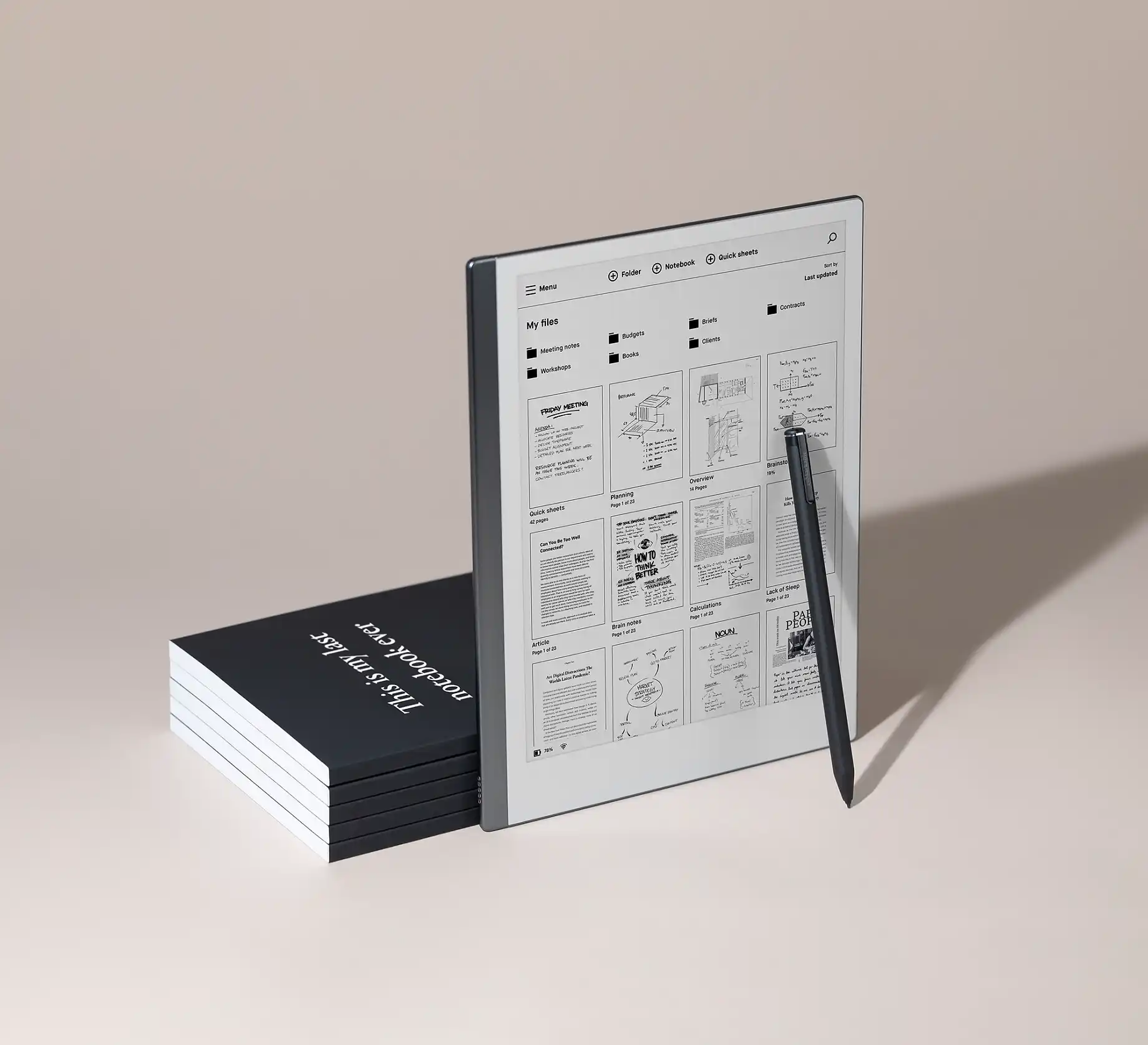 Hey, tech enthusiasts and creative wizards! Buckle up because we’re about to dive into the fantastical world of the Remarkable 2—a gadget that’s not just a tablet; it’s a magical portal to your creativity!
Below, I’ll take you down the top 7 features and then discuss how I use it and why I love it!
- Paper Magic on a Screen:
Okay, so let’s go down a journey – Imagine a screen that feels like paper. When you write, is sounds like paper. No, it’s not a daydream; it’s the Remarkable 2!
With its 10.3-inch Paper-like display, this gadget turns every stroke of your pen into a piece of art, making you feel like a digital Da Vinci.
- Skinny Minnie Design:
This bad boy is so slim it could slide into your laptop bag or even a tote purse unnoticed! At a mere 4.7mm thick, the Remarkable 2 is thinner than your favorite thriller novel. Who said power can’t be slender and sleek? Easy to carry with you to appointments or meetings and more sexy than your OG notepad.
- Pen That Gets You:
Meet the Marker—the pen that gets you! With 4096 levels of pressure sensitivity, it’s like a mind-reading wizard, translating your creative whims into digital reality. Precision? Oh yeah, it’s got that in spades. And let’s also mention you do not need to charge the pencil. I mean, we have enough devices to charge, right?
- Cloud Carnival:
No more “I left my masterpiece at home” excuses! The Remarkable 2 dances with the cloud, letting you access your genius from any device. It’s like having a cloud-shaped genie that grants your creative wishes wherever you are. With Google Drive, Onebox and dropbox options.
- No Drama, Just Zen:
Unlike its attention-hogging tablet cousins, the Remarkable 2 keeps it drama-free. No third-party apps or annoying notifications—just you and your creative mojo. Finally, a gadget that lets you concentrate without digital distractions!
- Handwriting Hack:
Say goodbye to the typing struggle! The Remarkable 2’s handwriting recognition is like having a personal secretary, turning your scribbles into neatly typed text. It’s like magic, but for your notes!
- Battery Bliss:
Creativity doesn’t punch out at 5 PM, and neither does the Remarkable 2! With a battery life that lasts for days, you can outlast the Energizer Bunny in your creative marathon.
The Remarkable 2 isn’t just a gadget; it’s a digital sidekick for the wild, wacky, and wonderfully creative you! As you surf the waves of innovation, this gadget is your trusty surfboard, letting you ride the tides of creativity with a big, goofy grin. Unleash the magic, folks!
Expanding a bit on the battery life of the Remarkable2 – wow. I average just about 9 days and that’s when using every day.
A day in the life of my remarkable2:
I’ve waited almost 3 years to write this review. I have shared my love for this beast with many co-workers that have since purchased as well after seeing my use cases. I thought it was time to share with more people so they can understand the full potential.
I work as a manager in IT in a large corporate company. Being in IT, there are many projects going on at the same time that we need to plan, meet, discuss and execute. Being a manager also adds another layer of planning and to-do lists, followups and more. I’m also a mom, a wife and run a successful side gig online. It’s a lot. It’s full weeks and then work on the weekends for the side gig. Tracking school events and vacation times… things start blending all together and I start losing site on what needs to be done and when.
I went paperless about 5 years ago. Through away my fabulous notebooks and carefully picked pens that I adored. I picked up a iPad and a ipencil and downloaded the GoodNotes application. I thought it was great. I had everything under control… or did I?
My pencil wasn’t charged in a meeting I went to. This was the beginning of my struggle. Every night when I came home from my 2 hour commute on Los Angeles’s 405 freeway, I had to remind myself to charge my phone, my iPad and my iPencil. I bought the screen film for the iPad that made it feel like paper. I tried all the things. It just wasn’t really what I was looking for.
One night, the Remarkable2 started showing up on my Facebook feed. WHAT! What on earth? What is it? a tablet? a kindle you can write on? I don’t get it. Watched videos, listened to reviews. I saw a folder structure. I noticed you did not need to charge the pencil. I didn’t even have to charge the device until the weekend. Too good to be true. How much does this thing cost? ……….ok, this is when I paused. $299 (cheaper than the iPad, but I had already bought the iPad the previous year) – then the pencil is $79 and the folio is another $79.. okay this is adding up to more than I thought. Stopped looking at it. But good ol’ Facebook kept showing me the dang thing. I couldn’t stop thinking about it – I did it, I took the leap. Got the whole package.
The day it came, I sat down and thought about how it would work for me (there’s a community facebook group, by the way-super helpful to get ideas).
You have folders, within the folders, you can have more folders and you can have notebooks and quick sheets.
I currently have folders for each of my projects and folders for each business area I support. I also have folders for 1:1’s with my team and a folder for meetings with my boss.
In each folder, I have notebooks for each month of the year. All my notes from meetings, checklists, plans are in sheets in that notebook.
This has seriously helped change how I search for notes I’ve taken from each meeting, get things done by looking at my to-do checklist and more. 3 years. No paper. No pens. Less clutter, less chaos.
Would an iPad work to do the same thing? If you can deal with the apps as being distractions, if you like the GoodNotes app well enough.. maybe.. but darnit, don’t forget to charge the iPad and pencil every night!